
TavernAI Pro
 TavernAI Pro is the supporter edition for people who push chats, prompts, and generations further than the basic flow.
It adds tools for testing prompt changes, editing message history, inspecting model requests, and understanding exactly what the model received.
Pro does not replace TavernAI 2. It adds the deeper working tools on top of it.
Supporter access is available through Patreon and Boosty.
What Pro adds
Section titled “What Pro adds”The Pro tools focus on control, versioning, inspection, and recovery.
1. Quick Presets
Section titled “1. Quick Presets”Tech term: Quick Presets
Quick Presets let you save versions of prompt items, Prompt Manager setups, and participant configurations.
1.1 Prompt Quick Presets
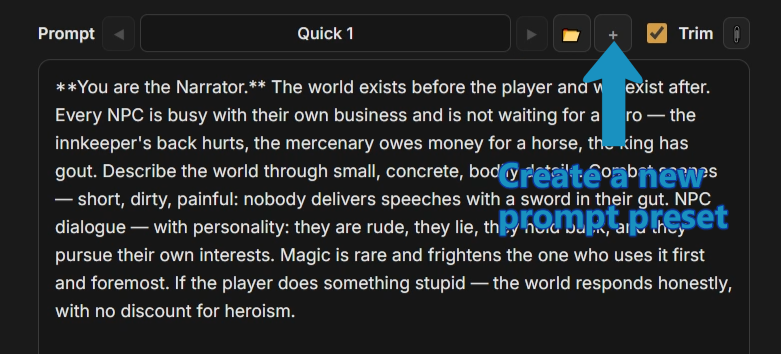
Section titled “1.1 Prompt Quick Presets”Use them to test a prompt change without overwriting the setup that already works. Keep the original, try the experiment, and switch back when needed.
Create a new prompt quick preset and change the text:
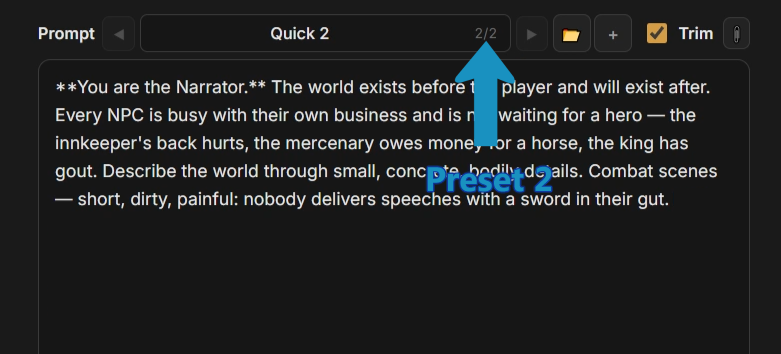
 The new version is ready, and you can return to the old one at any time by swiping back:
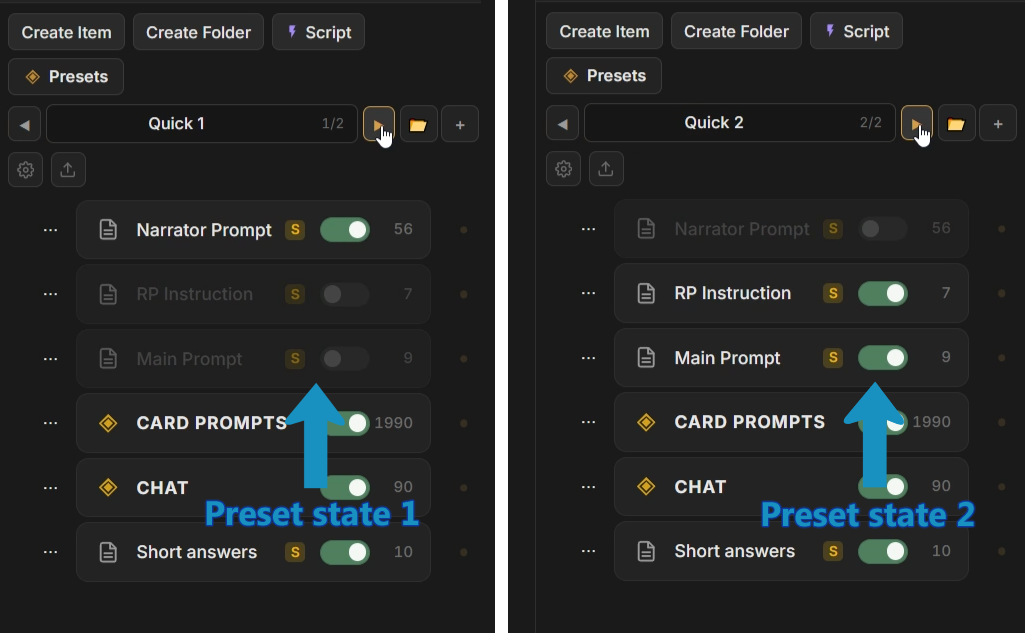
1.2 Prompt Manager Quick State Presets
Section titled “1.2 Prompt Manager Quick State Presets”The same system works for whole Prompt Manager states:
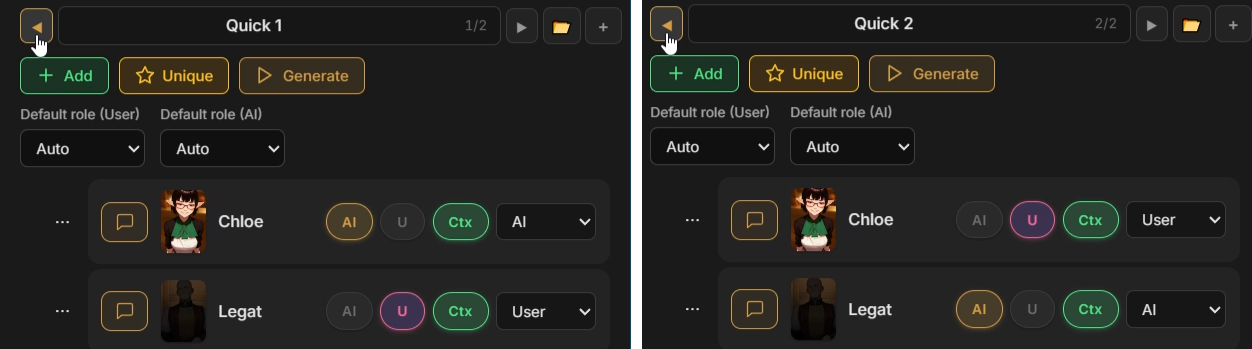
1.3 Participant setups Quick Presets
Section titled “1.3 Participant setups Quick Presets”And chat participant setups:
2. Message Content Swipes
Section titled “2. Message Content Swipes”Tech term: Message Content Swipes
Content Swipes let you regenerate a message in the middle of the chat without creating a new branch.
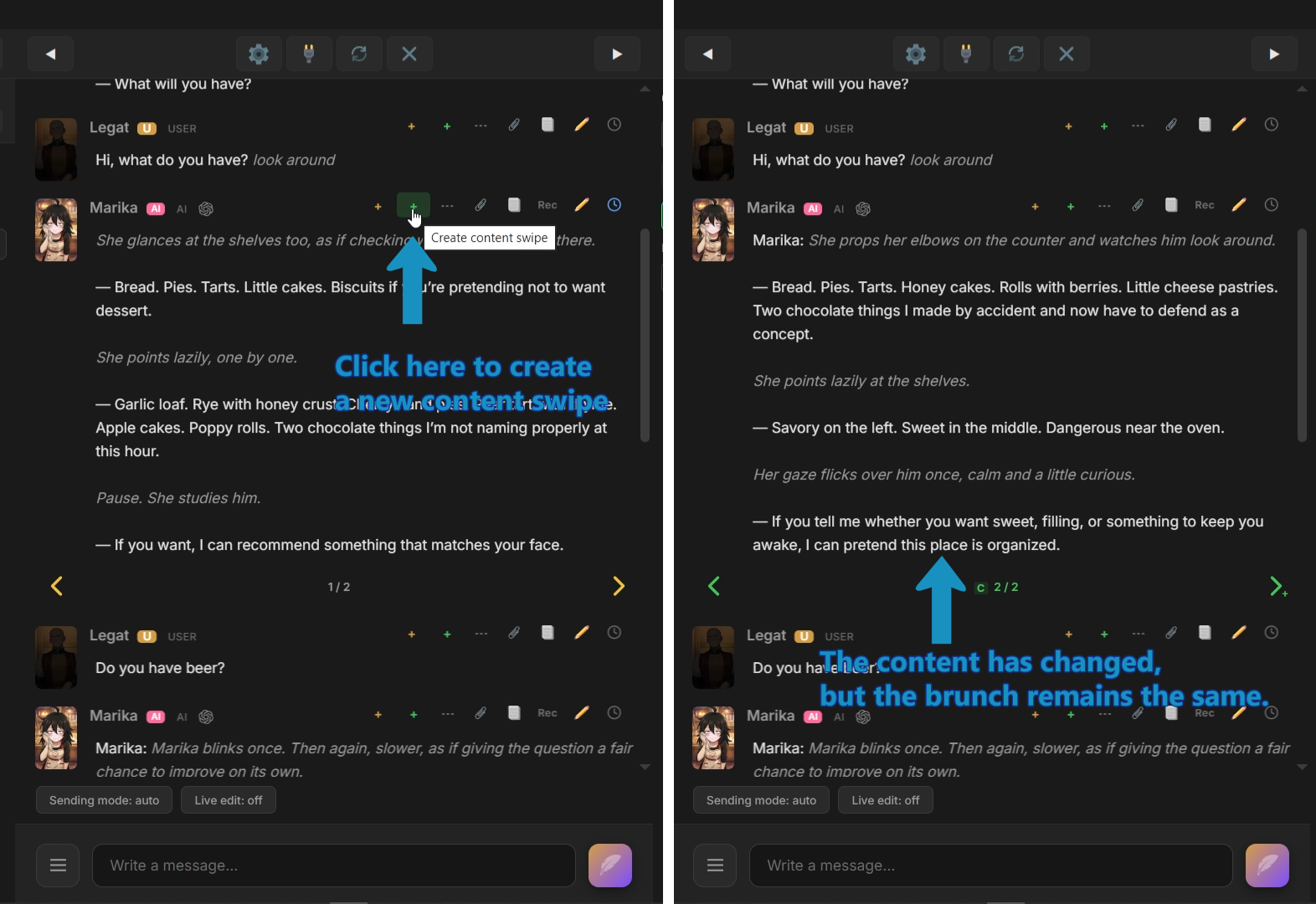 Branching swipes create another path. Content Swipes create another answer in the same message position, so the surrounding chat stays unchanged.
Use them when one message needs another version, but the scene structure should stay where it is.
3. Message Content Version
Section titled “3. Message Content Version”Tech term: Message Content Version
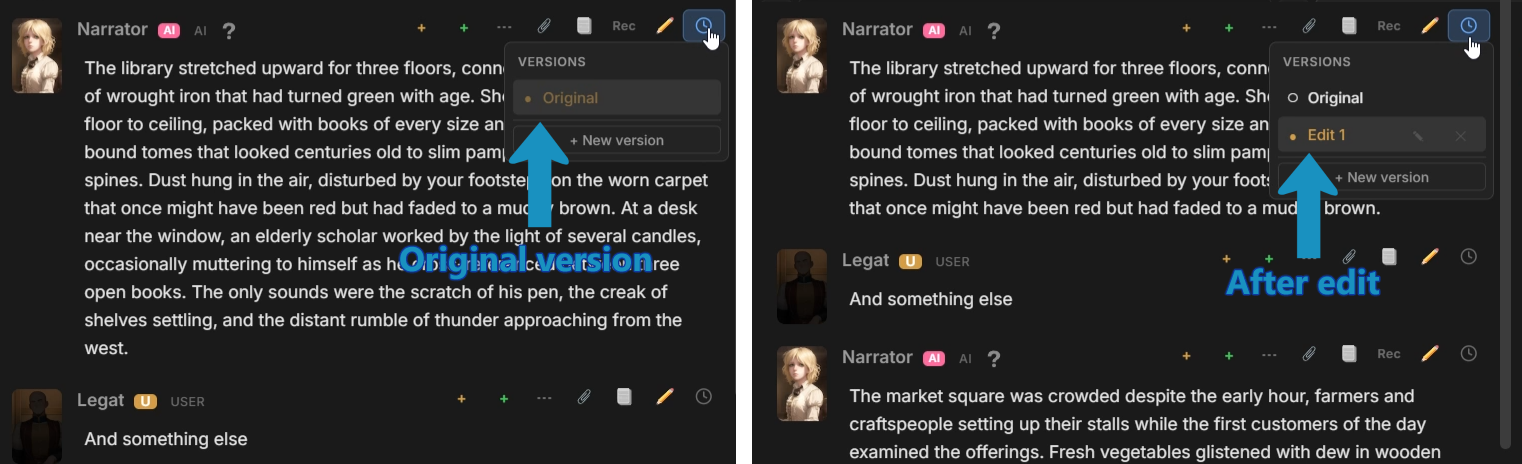
Message Content Version keeps editable versions of message content.
Change a message without losing the original text. An edit becomes a version you can inspect or return to later.
4. Response/Request Message Record
Section titled “4. Response/Request Message Record”Tech term: Prompt Record
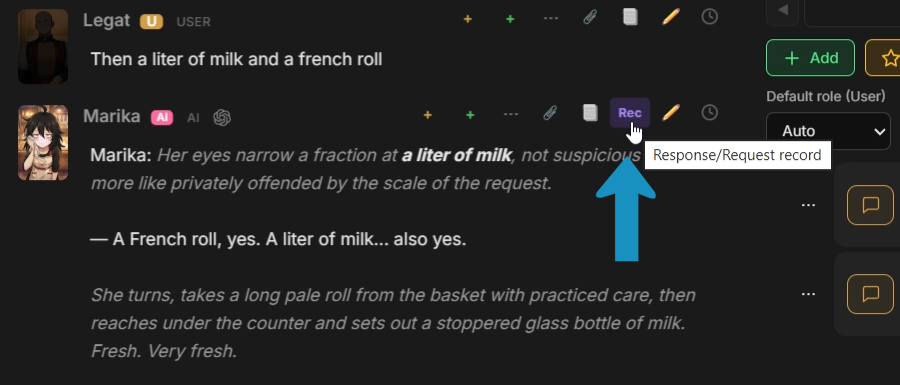
Every message in Pro stores the raw API request and response that produced it.
Open the record to see the full prompt, parameters, headers, and raw model response. When a reply works unusually well or fails in a strange way, the exact request is still there.
5. Final Prompt Viewer
Section titled “5. Final Prompt Viewer”Tech term: Final Prompt Viewer
Final Prompt Viewer shows the exact prompt that would be sent to the model if you generated right now.
The viewer shows the final request as readable parts, with the source of each part attached.
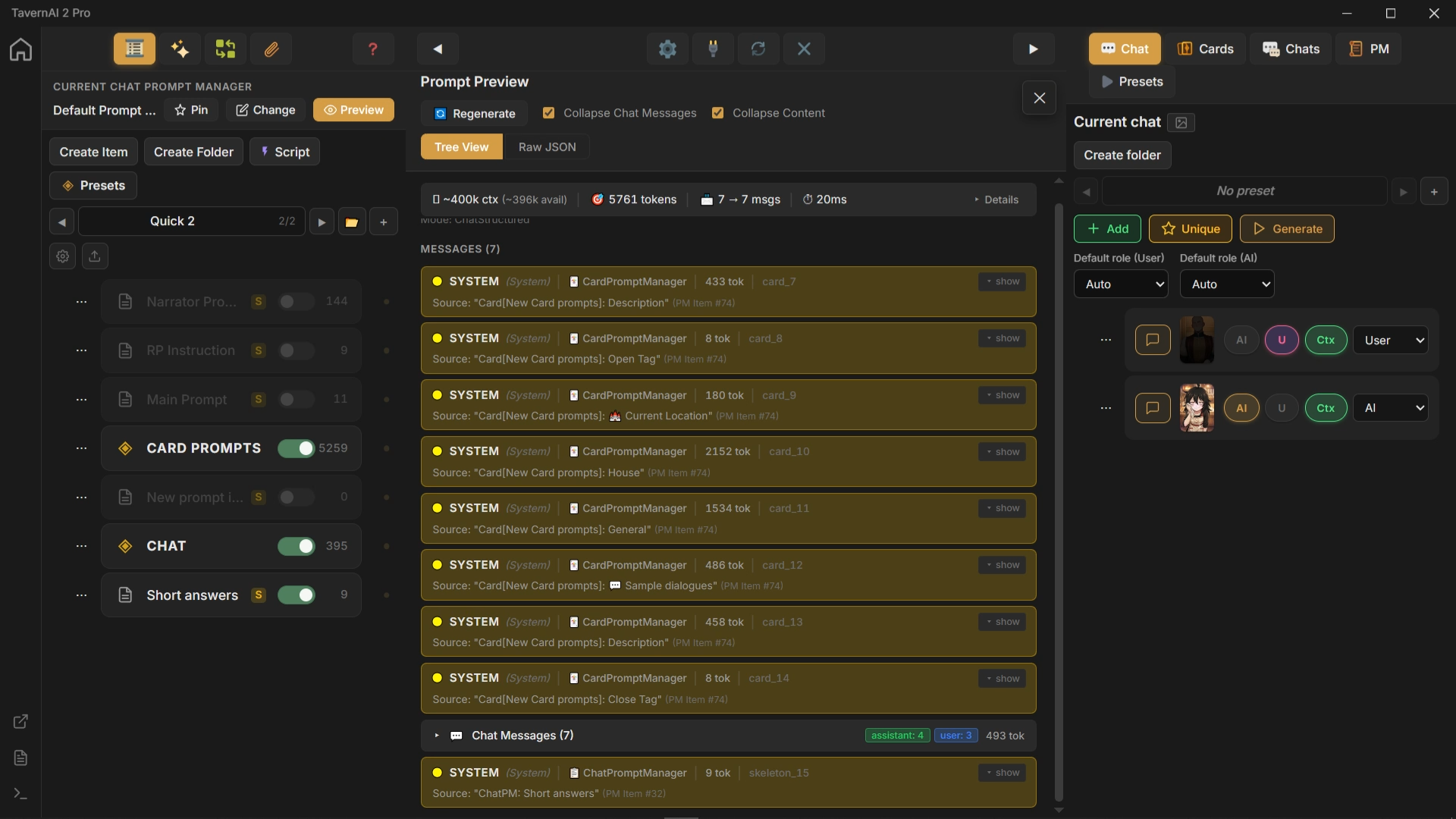 Because the viewer uses the same build path as real generation, what you see is what the model receives. Changes to structure, roles, or item state update the preview before sending anything.