
Library Captions
Это содержимое пока не доступно на вашем языке.
A Library Caption is optional secondary text shown beneath an item’s name in a library row. It can distinguish similarly named Cards, identify a Chat Preset’s purpose, or label a MultiChat Project without making its primary name longer.
Screenshot (Marika has a library caption):

Library Captions are available for:
- Cards;
- Chat Presets;
- MultiChat Projects.
The caption is display metadata. It does not enter AI context, change prompt behavior, or rename the item.
Add or edit a caption
Section titled “Add or edit a caption”- Find the Card, Chat Preset, or MultiChat Project in its library.
- Open Additional Information.
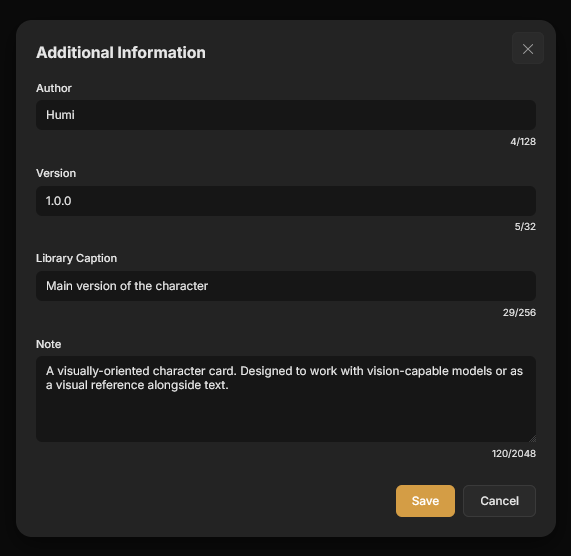
- Enter a Library Caption.
- Save the change.
The field accepts up to 256 characters and uses the placeholder Short caption shown under the name in libraries. An empty value removes the secondary line.
Screenshot:
Caption content
Section titled “Caption content”Use a caption for information that helps identify an item before it is opened:
| Item | Example caption |
|---|---|
| Card | Main version of the character |
| Chat Preset | Dungeon exploration with three starting characters |
| MultiChat Project | Main timeline and alternate chapter branches |
Keep the primary name as the stable identity and the caption as a short distinction.
Related pages
Section titled “Related pages”- Global Cards and Card Presets for reusable Card collections.
- Multichat projects and chats for MultiChat Project structure.